![sumup logo-modified.png]](https://support.thegoodtill.com/hs-fs/hubfs/sumup%20logo-modified.png?height=40&name=sumup%20logo-modified.png)
Selling Screen
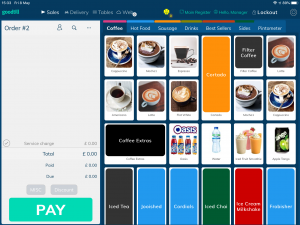
Once you’ve successfully logged in, the selling screen will be shown, in which you’ll be able to see your product icons and corresponding tabs. The appearance/layout of your selling screen is entirely customisable through the back office by going to Setup > Selling Layout. For more information about setting up your selling screen, please click here.
